Contents Your key takeaways
Search campaign or Performance Max (PMax): two ways, one goal. In this post you’ll learn compactly how both campaign types work, where they really differ, and what AI Max changes for Search. You’ll also see how Search and PMax interact in parallel.
Your key takeaways
- Search campaigns only run in Google Search, offer high control over keywords and bids, and can still be operated very automated with Broad Match, Smart Bidding, and AI Max.
- Performance Max relies entirely on AI and automation, combines your assets across all Google channels (Search, Shopping, YouTube, Display, Gmail, Discover), and continuously adjusts bids and delivery to expected performance.
- Ideally, both work in parallel: Search delivers precise data and control, PMax builds on it and brings additional revenue from users you wouldn’t reach with Search alone.
- In parallel operation, cannibalization is the biggest risk. But with Brand-Search protection and Negative Keywords in PMax, it can be managed cleanly.
What are Search campaigns?
Search campaigns are the classic Google Ads. Your ads are text-based and appear in Google search results, just as you see them yourself when searching. You pay in the pay-per-click model only when someone clicks your ad.
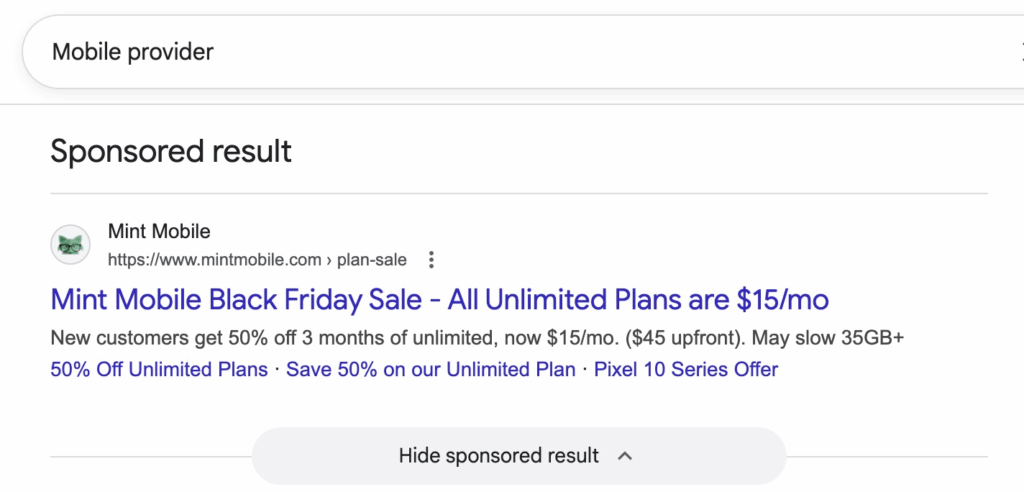
Search ads pick up people at the exact moment they’re actively searching for a topic, product, or provider. That makes the contacts very valuable because the intent is already there. The better your offer matches the search query, the greater the chance of a conversion.
How do Search campaigns work?
A campaign controls budget, goal, and targeting. Below it are ad groups containing thematically grouped keywords and matching Responsive Search Ads.
The ad itself consists of multiple headlines, descriptions, a visible URL, and optional extensions like Sitelinks or Call extensions. Google determines in an auction which ad is shown. What matters is the Ad Rank, the interplay of bid, ad text relevance, expected click-through rate, and user experience on the landing page.
Keywords and Match Types
Keywords are the terms you use to control which search queries trigger your ads.
And the Match Types (keyword options) determine how exactly a search query must match your keyword, from exact to broad.
More on this here: Match Types in Google Ads
Bidding strategies
With Search campaigns, you have many bidding strategies available.
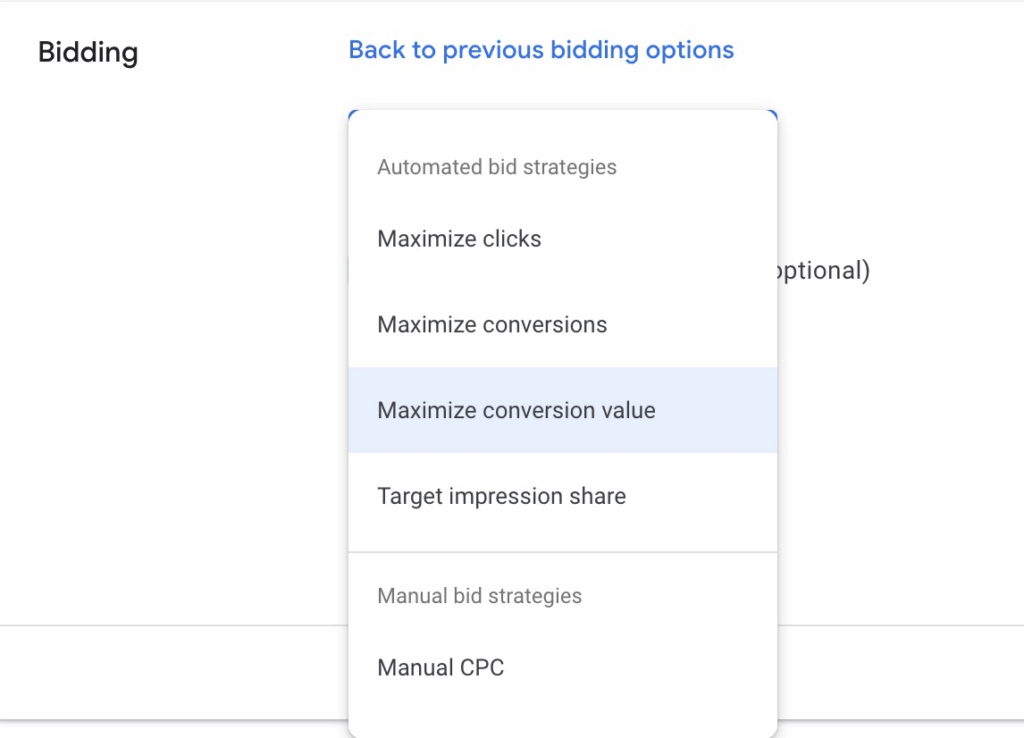
With manual CPC, Target Impression Share, and Maximize Clicks, you can directly control how much you want to spend per click. Optionally set a maximum CPC to secure caps. This way, you keep control over visibility and traffic, especially when budgets are tight.
The automated Smart Bidding strategies Maximize Conversions and Maximize Conversion Value are oriented toward the end result. Optionally, they work with Target CPA or Target ROAS. The concrete CPC bids are set by the Google algorithm itself in each auction, prioritizing where the probability of success is highest.
Additionally, you can work with Portfolio bidding strategies and Shared Budgets. Portfolios bundle multiple campaigns under shared logic and share learning data, which increases stability and efficiency. Shared Budgets distribute the daily budget dynamically across these campaigns.
Control vs. automation
With Search campaigns, you can work very controlled, e.g., with exact-match keywords and manual CPC. This way, you control which search queries should trigger ads and how much you’re willing to pay. This can be further narrowed with negative keywords.
You can also limit the audience via audience attributes.
You can also set up Search very automated. Broad Match combined with Smart Bidding takes over bid finding in each auction and scales reach data-driven.
With AI Max, another automation feature has been added.
What is AI Max?
AI Max extends your Search campaigns with additional AI support.
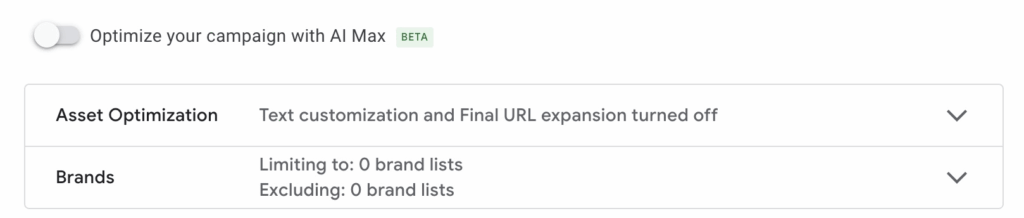
The AI is supposed to cover more thematically matching search queries, dynamically adjust ad texts, and send users to more suitable landing pages so ads appear „more relevant”. Plus, your ads should remain visible in Google Search’s new AI mode without needing a new campaign type. In practice, that also means more automation, somewhat less predictability. You have to watch closely whether the additional deliveries actually bring the desired conversions.
Pros and cons of Search campaigns
Pros
- Very targeted traffic with clear search intent
- High transparency and clean evaluation at the keyword level
- Offers manual control and also automation
Cons
- Often high CPCs in competitive markets
- More manual effort: structure, negatives, tests
- Dependent on existing search volume
- Difficulties with novelties or complicated offers that aren’t yet being searched for
What are Performance Max campaigns?
Performance Max is the very automated multi-channel campaign type in Google Ads. With a single campaign, you reach users in Search, the Display Network, on YouTube, in Gmail, in Discover, and in the Shopping inventory. You usually pay per click.
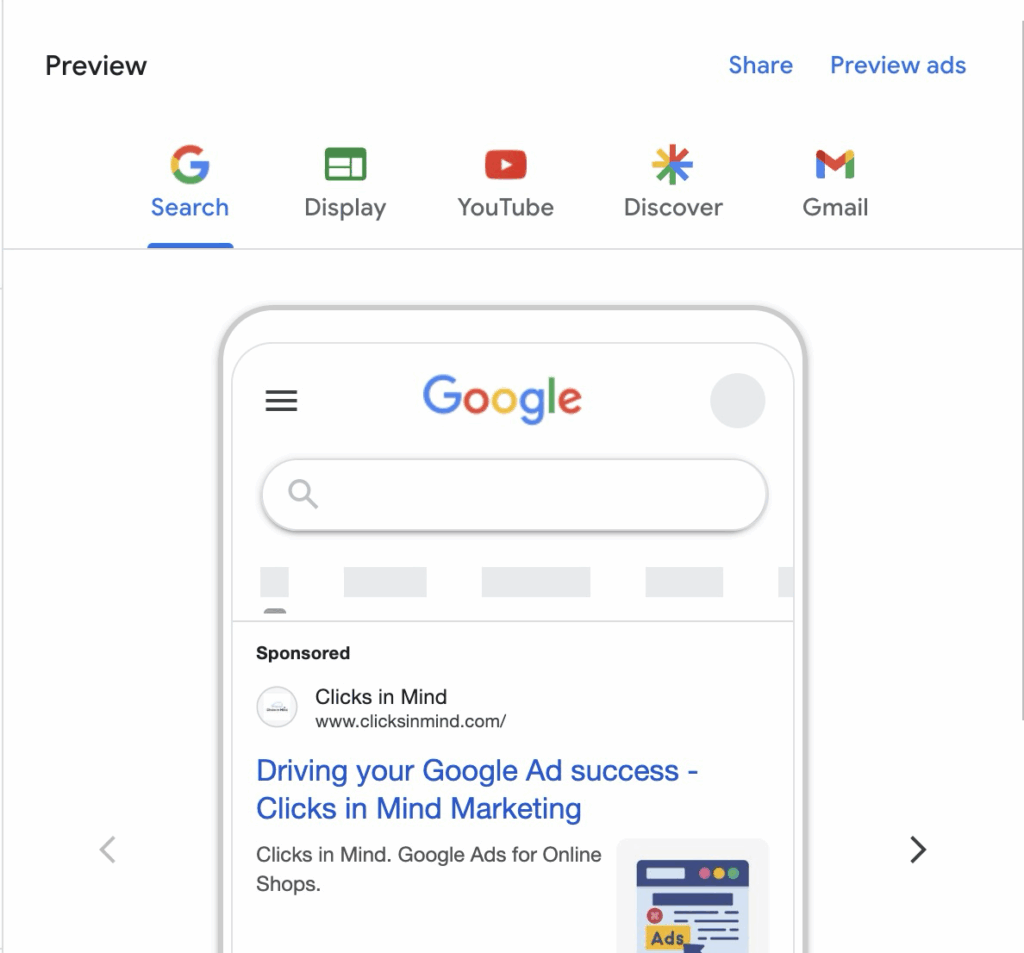
The idea is simple: you deliver good assets and a clear goal, Google handles cross-channel control. PMax automatically combines your assets into suitable formats, tests variants, and shifts budget where the probability of valuable conversions is highest.
How do PMax campaigns work?
PMax campaigns automate the entire process of ad placement and optimization. In principle, you define what you want to achieve with the campaign (e.g., sales or contact requests), and the Google algorithm will optimize the campaign and ads as best as possible toward that goal.
You provide texts, images, videos, and ideally a product feed. For targeting, you only deliver signals: audiences (e.g., Remarketing, In-Market, Customer Match) and Search Themes (keyword suggestions, now up to 50 per Asset Group) as thematic direction. Google uses these hints but may go beyond and find suitable users and search queries itself.
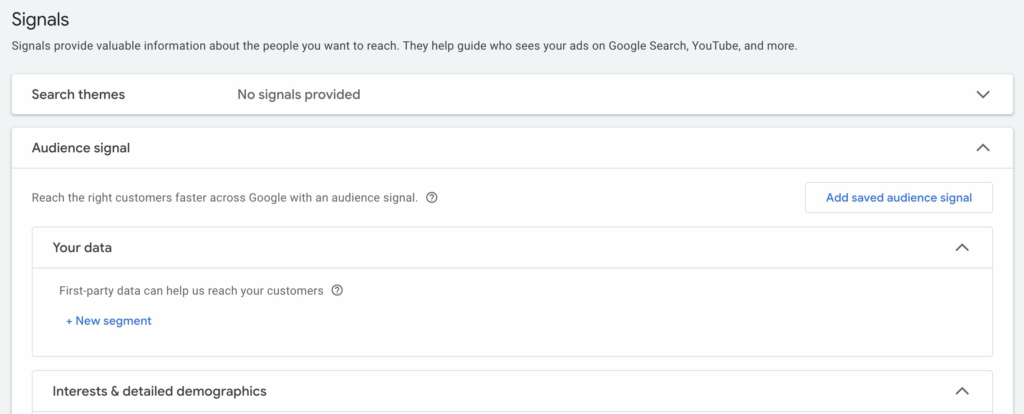
The campaign also automatically runs Remarketing when the necessary audience segments are available.
Structure
At the top, you define budget and goal. Below, you work with Asset Groups that fit a theme, range, or use case. For shops, Listing Groups are added to filter products. The AI combines assets channel-appropriately, tests variants, and shifts budget to where the expected value is highest.
Bidding strategies
PMax only offers Smart Bidding: Maximize Conversions (optional with Target CPA) and Maximize Conversion Value (optional with Target ROAS). Manual CPC, Target Impression Share, or Maximize Clicks aren’t available.
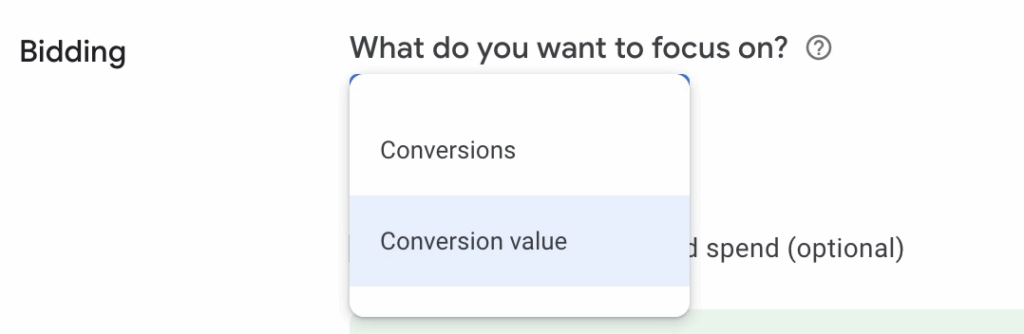
This means success strongly depends on your conversion tracking, since that controls which success signals the AI receives from you.
Portfolio bidding strategies and Shared Budgets aren’t available. Budget and goal are managed directly at the campaign level.
When new-customer focus is central: PMax has its own setting called New Customer Acquisition (NCA), where you can set higher bids for new customers or direct the campaign exclusively at new customers. This mechanic doesn’t exist in this form for Search campaigns.
Control vs. automation
PMax was long a black box but is becoming more transparent step by step. You can now set up to 10,000 negative keywords at campaign level, exclude brands, and work with URL control. With the Channel Performance Report, you also see how performance is distributed across the individual channels in a PMax campaign.
Still, control remains less granular than in Search campaigns. You can’t weight individual channels or precisely specify placements. The AI makes many decisions automatically, and reports remain more aggregated.
Pros and cons of PMax campaigns
Pros
- Large reach: Combines the functions of multiple campaign types. You can advertise across the entire Google network with one campaign.
- Automatic optimization: The campaign type benefits most from Google’s AI. The more data is collected, the better the campaign is optimized.
- Complete marketing funnel in one campaign: Through automation, this one campaign type can cover the entire customer journey.
- Lower effort: The high degree of automation leads to low administrative effort.
- High priority from Google: Google prefers PMax campaigns over Shopping campaigns.
Cons
- Less control: Lots of automation means less control. You can only marginally influence which audiences are addressed or which keywords are bid on. You also have no real control over how your budget is used.
- Low transparency: Compared to other campaign types, the data Google provides is less detailed. PMax is therefore often called a black box, even if it’s getting better.
- Not good for smaller budgets: Since PMax needs a lot of data to work well, this campaign type isn’t well suited to small budgets.
- Spam leads: Without proper conversion tracking and quality filters, PMax can generate many spam leads in lead generation.
You want more results with Google Ads?
Get a free Google Ads Reality Check: a compact video (about 10 minutes) showing where budget is slipping away in your account and what to change.
Get your Google Ads Reality Check →
Search Campaigns vs. PMax, the Comparison
| Topic | Search Campaigns | Performance Max |
|---|---|---|
| Reach & channels | Only Google Search (incl. AI Mode) | Search (incl. AI Mode), Display, YouTube, Gmail, Discover, Shopping |
| Ad format | Text ads (Responsive Search Ads + extensions) | Channel-appropriate combination of text, image, video, Shopping |
| Appears in AI Mode | Yes | Yes |
| Targeting | Keywords with Match Types (Exact, Phrase, Broad) + Negative Keywords; optional audience attributes | Signals (audiences, Customer Match), Search Themes as hints + up to 10,000 Negative Keywords, Brand Exclusions |
| Keywords | Direct control via manual keywords | No real keywords, only Search Themes |
| Structure | Campaign → Ad Groups → Keywords/RSAs | Campaign → Asset Groups → Assets/Signals/(Feed) + possibly Listing Groups |
| Bidding strategies | Manual bidding strategies & Smart Bidding possible | Only Smart Bidding: Max Conv (optional Target CPA), Max Conv Value (optional Target ROAS) |
| Portfolio bidding strategies | Yes | No |
| Shared Budgets | Yes | No |
| New Customer Acquisition | No | Yes, dedicated setting |
| Automation vs. control | From manual to strongly automated (Broad + Smart Bidding, AI Max) | Strongly automated with a few control mechanisms |
| Priority on overlap | Exact Match in Search has priority over PMax on identical search | Subordinate when Search contains a matching Exact |
When and how do you use the two campaign types?
In the end, the question „Search or PMax (or both)?” comes down to two different approaches:
Search campaigns serve only Google Search and give you a high degree of control over keywords, bids, and targeting.
Performance Max, on the other hand, pursues the goal of extracting maximum performance from your budget, regardless of whether the click comes via Search, Shopping, YouTube, Display, Gmail, or Discover. PMax can therefore also appear in Search but uses it as just one of several channels, controlling everything via Smart Bidding and signals instead of classic keywords.
PMax is often used as an amplifier for offers and audiences that already work well via Search. Search campaigns pick up users with clear search intent very targeted. Performance Max can, based on these signals, collect additional conversions via other channels, provided enough data is available in the account.
Decision scenarios
1. With smaller budget or new account
With smaller budget or in a new account, I would almost always start with more manual campaign types like Search. You only pay for users who actively search, see exactly which terms work, and can consistently sort out irrelevant queries. This way, you learn your market without the algorithm optimizing „blindly”.
In my view, PMax isn’t a good entry campaign because it runs entirely on Smart Bidding and needs a stable data base for that. With hardly any conversions available, Google can ultimately only guess where to bid, which quickly leads to spillover and expensive tests.
As a rough rule of thumb: as long as you don’t have at least 20 to 30 actual conversions per month in the account, better around 50, I wouldn’t use PMax as the main campaign. During this time, you fare significantly better with a properly set up Search campaign. PMax comes into play only when this foundation is established.
2. E-commerce
In e-commerce, PMax can become sensible earlier because Shopping Ads are integrated and often deliver the best conversion rate. If your product feed is clean and you already have a certain conversion volume, PMax can amplify your existing successes and collect additional sales via Shopping, YouTube, and Display.
But you don’t have to start with PMax right away. A very solid variant is:
- Search campaigns for brand and important generic keywords
- Classic Shopping campaigns as entry point (more on the comparison PMax vs. Standard Shopping)
- PMax as the next step, once feed, tracking, and creatives are in place and the account collects enough conversions.
3. Lead generation
For lead gen, especially in B2B, I would clearly start with Search. You need control over search terms, ads, forms, and landing pages so you can manage lead quality. PMax is often criticized here for bringing many but qualitatively weak leads if the setup isn’t right.
4. Additional scenarios
- If you’re in a heavily regulated environment or have topics where policies, brand safety, or legal requirements play a major role, I would clearly work with Search campaigns since you have the best control over delivery.
- If you have an established brand with reasonable budget and good creatives, PMax can help especially where Search alone reaches limits. Search campaigns continue to capture classic search demand in a controlled manner, while PMax additionally generates sales and leads via the other channels.
- If you want to quickly understand which messages and keywords really work, Search is the better starting point. The learnings from Search campaigns, performant terms, texts, and landing pages, can be transferred later into PMax as Search Themes and signals.
Cannibalization risk in parallel operation
When PMax and Search run in parallel, cannibalization risk is the biggest pitfall. PMax can bid on the same search queries as your Search campaign. In the worst case, you bid against yourself, or PMax gets credited with conversions that your Search campaign would have captured anyway.
Here’s how to avoid that:
-
Brand terms exclusively via Search campaigns: Set up your brand terms as a separate Brand-Search campaign. PMax stays focused on generic traffic.
-
Block brand terms in PMax as Negative Keywords: Since end of 2025, you can store up to 10,000 negative keywords directly in the PMax campaign, without contacting Google Support. That makes brand-term blocking quick and clean. More in the article PMax Negative Keywords.
-
Keep an eye on the Channel Performance Report: Regularly check how much PMax budget flows into Search. If the Search share is high and you run parallel Search campaigns, cannibalization risk is real. More on analysis in the article Analyze PMax Campaigns.
Using Search and PMax in parallel
In practice, it’s rarely an either-or. In most accounts, Search campaigns and PMax run in parallel. The interesting question is therefore less „Which campaign is better?”, but: how do both campaign types sensibly split search queries and roles?
Important to understand: with identical search queries with an Exact-Match keyword in a Search campaign, Search usually has priority. If there’s no matching Exact keyword, Ad Rank in the auction decides whether the impression runs via Search or PMax. So it’s normal for both campaign types to share search traffic.
A sensible strategy is to design these roles deliberately:
- Secure your most important terms in Search as Exact. This way, critical and especially valuable search queries run via the Search campaign, where you have the most control and transparency.
- Store negative keywords and possibly Brand Exclusions in PMax. This prevents PMax from „pulling” brand and core terms away from you and reduces cannibalization.
- Use your learnings from Search as input for PMax. Well-performing keywords, ad texts, and landing pages can be stored as Search Themes and target signals in PMax so the campaign doesn’t optimize in a vacuum.
With enough data, you can separate the roles even further. PMax can then focus more on the warmest audiences, for example via Shopping, Remarketing, and users who have already had contact with your brand. Search campaigns you can specifically aim at search queries that aren’t yet clearly transactional, e.g., informational or comparison terms, and pick them up with matching content.
This creates an interplay: Search covers search demand in a controlled manner, PMax amplifies existing potential and collects additional conversions via other channels, instead of just duplicating Search.
PMax vs. Search, FAQs
Does Performance Max also run Search ads?
Yes, PMax can also serve in Google Search, in addition to Display, YouTube, Gmail, Discover, and Shopping. The important point: you can’t directly control how budget is split between these channels. PMax decides based on performance signals whether, for example, Shopping, Search, or YouTube is preferred. If you want to control Search delivery very precisely, you still need your own Search campaigns.
Can Performance Max cannibalize my Search campaigns?
Yes, that’s possible. PMax and Search campaigns can both bid on the same search queries because PMax also uses Search inventory. In many cases, that’s unproblematic, but it can lead to more budget running via PMax and less via your clean Search structure. Important to know: if there’s a matching Exact-Match keyword in a Search campaign, the Search ad is usually preferred. So it’s worth securing the most important terms in Search as Exact.
How do I prevent PMax from bidding on my brand terms?
Brand Exclusions and Negative Keywords in PMax are crucial. With Brand Exclusions, you can prevent PMax from serving on brand-related search queries, so brand traffic runs in a controlled manner via your Search campaigns (if desired). Since end of 2025, you can additionally store up to 10,000 Negative Keywords directly in the PMax campaign.
More on this here: Excluding brand keywords from PMax campaigns
How many conversions do you roughly need for PMax to work well?
There’s no hard threshold, but as orientation, you should expect at least 20 to 30 actual conversions per month, better around 50+. Below that, PMax usually lacks the data base, Smart Bidding has to try too much, and results quickly become expensive and unstable. In this range, you fare significantly better with a well-structured Search campaign and use PMax only when this foundation is in place.
Conclusion: Two tools, not two opponents
Neither Search campaigns nor Performance Max are „the better” campaign type. They are two different tools that should help you achieve your business goals. What matters isn’t the campaign type but how you use it: Search for control and clarity in Search, PMax for additional performance across multiple channels. Strongest in interplay, with clean brand protection and Negative Keyword management against cannibalization.
I hope I could help you with the post and wish you success with your campaigns. Feel free to reach out with questions.
Work smart with Clicks in Mind
You might also like
 Performance Max
 Negative Keywords for PMax: How to Use Them Right
Add negative keywords directly to PMax, up to 10,000 per campaign. How to use the feature optimally for Search and Shopping ads.
Read more → Performance Max
 Exclude Brand Keywords from PMax Campaigns: How to Do It
Three methods to exclude brand keywords from your Performance Max campaigns: Brand Exclusions at campaign and account level plus negative keywords.
Read more → Performance Max
 Analyze PMax Asset Performance: How to Do It in Google Ads
Here you learn where to find PMax asset evaluation, how to use Asset-Group-level Search Terms, and how to pull hard performance data with the Asset Auditor.
Read more →You want more results with Google Ads?
Get a free Google Ads Reality Check: a compact video (about 10 minutes) showing where budget is slipping away in your account and what to change.
Get your Google Ads Reality Check