Contents Your key takeaways
Since the end of 2025, you finally have clean control over negative keywords in Performance Max (PMax) campaigns. Google allows up to 10,000 negative keywords directly at the campaign level, with no workaround and no Google Support. In this post, I’ll show you how it works and what to watch for. Let’s go.
Your key takeaways
- Up to 10,000 negative keywords per PMax campaign can be added directly, no need to contact Google Support.
- Account-wide negative keyword lists can be linked directly to PMax campaigns since end of 2025, no longer just added one by one.
- Effect only on Search and Shopping ads. Display, YouTube, and Discover use contextual signals, not keywords, and aren’t affected.
How do you use negative keywords in PMax campaigns?
You can add negative keywords directly via the keyword settings in your PMax campaigns.
Here’s how:
- Navigate in the left sidebar to Campaigns > Keywords.
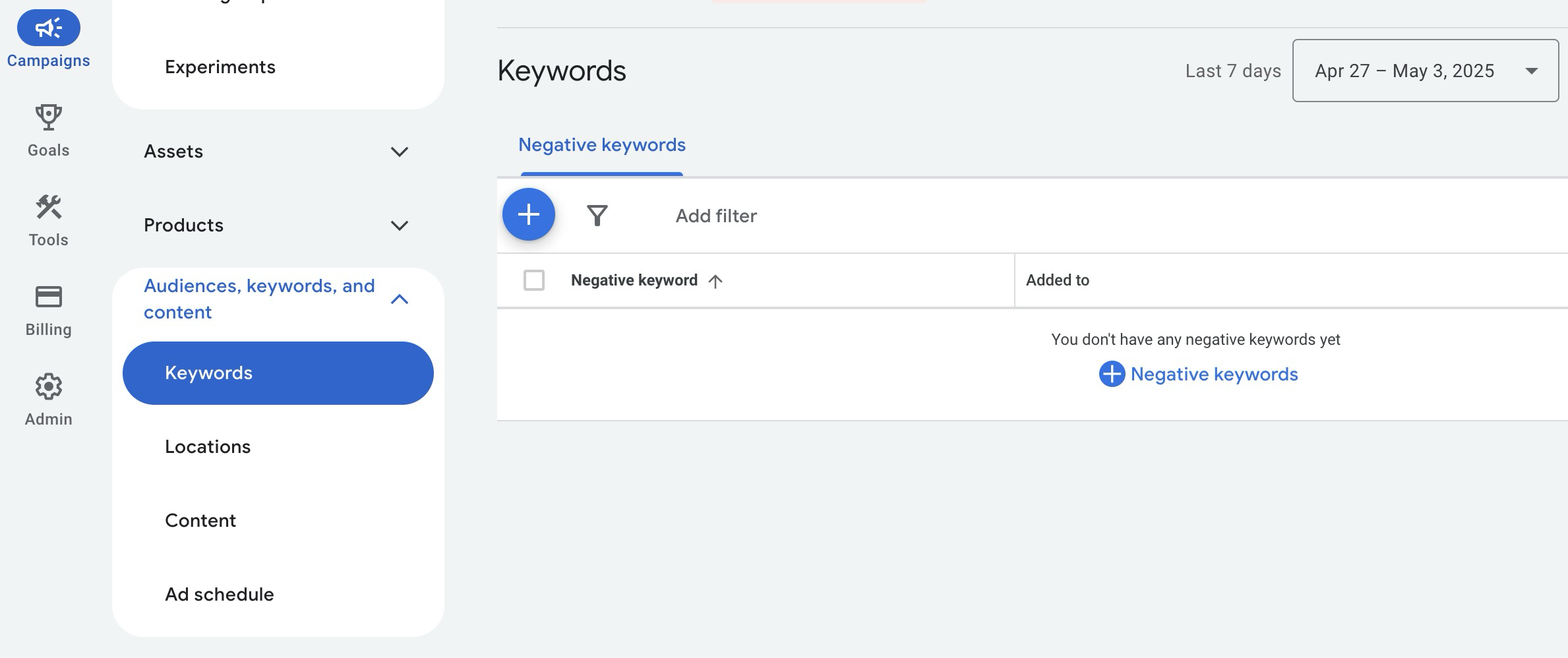
- Click the blue Plus (+).
- Add the desired keywords via the corresponding text field.
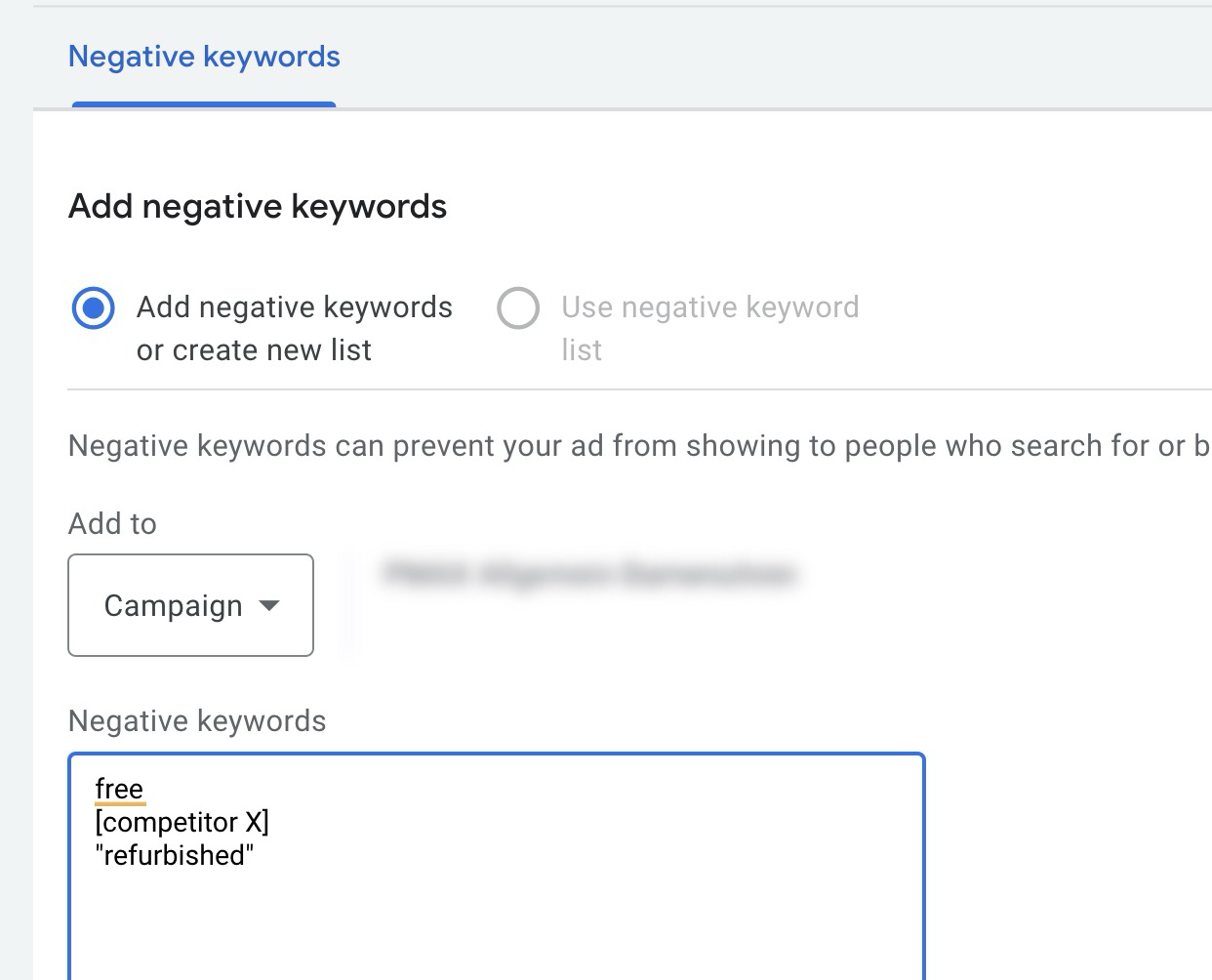
- Finally, save.
Negative keywords work essentially as you know from normal Search campaigns. You can use different match types by entering the terms normally (e.g., free = Broad), in quotes ("free" = Phrase), or in square brackets ([free] = Exact).
This controls how exactly Google must match a search query with your negative keyword before the ad is blocked. The tighter the match type, the more precise the exclusion behavior.
Limit: You can store up to 10,000 negative keywords per campaign. Even for very large brand and negative lists, that’s enough room.
You want more results with Google Ads?
Get a free Google Ads Reality Check: a compact video (about 10 minutes) showing where budget is slipping away in your account and what to change.
Get your Google Ads Reality Check →
Additional options for negative keywords
Besides negative keywords directly at the campaign level, there are other ways to control your Performance Max campaigns cleanly.
-
Account-wide negative keyword lists can be linked directly to your PMax campaign. This wasn’t possible before (or only via Google Support), since end of 2025 you can do it yourself. Ideal when you want to exclude terms globally across multiple campaigns.
-
Campaign-specific negative keywords are the standard approach described above for campaign-specific adjustments.
-
Brand Exclusions offer an additional layer of protection for brand terms in PMax. They prevent your ads from appearing on search queries related to specific brands, whether your own or competitors’. Brand exclusions are now also available at the account level.
Best practices for negative PMax keywords
Even though negative keywords in PMax only affect Search and Shopping ads, they finally give you clean control. To use them sensibly, regularly check which search queries your campaigns trigger.
For that, go to „Insights” in Google Ads. Here you see which search categories are particularly active and how they affect conversions and search volume.
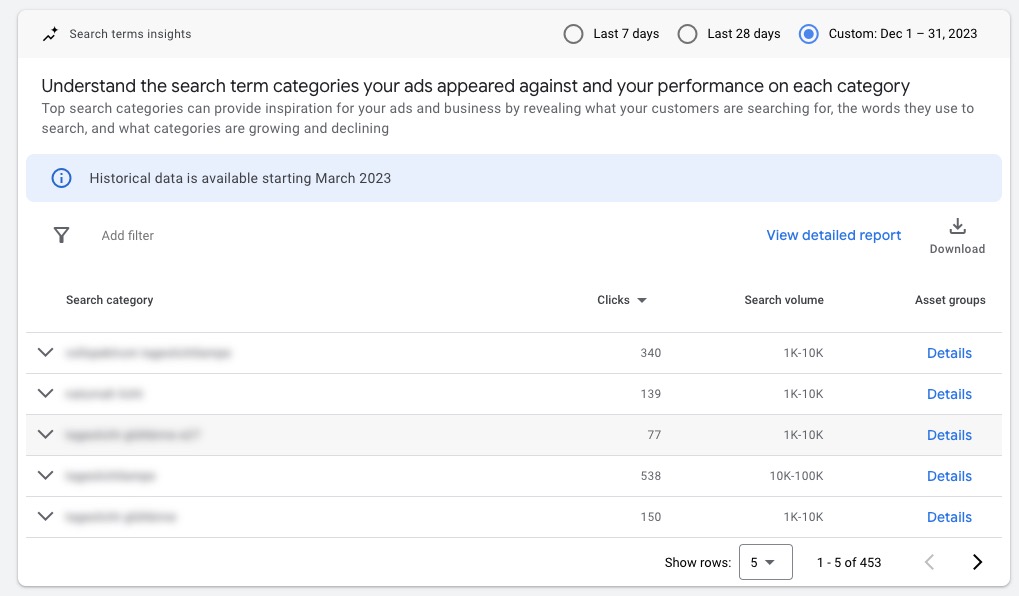
Anything that doesn’t fit your offer or burns budget unnecessarily, store as a negative keyword. Typical examples are terms like „free”, „used”, „jobs”, or cities and regions you don’t deliver to.
More context on cannibalization with Search campaigns in the article PMax vs. Search Campaigns.
FAQ, Negative Keywords for PMax
1. Can I use negative keyword lists directly at the campaign level in PMax?
Yes, that’s now possible. Since end of 2025, you can link account-wide negative keyword lists directly to a PMax campaign. You no longer have to enter each keyword individually.
2. Why don’t negative keywords in PMax affect YouTube, Display, or Discover?
Because these channels don’t operate on keywords, but on audience and contextual signals. Negative keywords therefore only apply in the Search and Shopping area.
3. Do I still need Google Support for extensive setups?
No longer for negative keywords. With the 10,000-per-campaign limit and direct list linking, you no longer depend on support tickets.
4. How many negative keywords can I store maximum?
Up to 10,000 per campaign. That’s more than enough to maintain brand lists, competitor terms, and general exclusion words cleanly.
Conclusion
With the now fully available function, you can store negative keywords at the campaign level in Performance Max yourself. Use this specifically for Search and Shopping ads and combine it with account-wide lists or brand exclusions as needed to control your campaigns cleanly.
This change is also a positive sign from Google: advertisers get more options to specifically control the often-criticized „black box” PMax.
Good luck with your campaigns.
Work smart with Clicks in Mind
You might also like
 Performance Max
 Exclude Brand Keywords from PMax Campaigns: How to Do It
Three methods to exclude brand keywords from your Performance Max campaigns: Brand Exclusions at campaign and account level plus negative keywords.
Read more → Performance Max
 PMax vs. Search Campaigns? How to Make the Right Choice
PMax or Search campaigns? Learn the most important differences, avoid cannibalization with brand exclusions and 10,000 negative keywords, and find your suitable campaign mix.
Read more → Performance Max
 Analyze PMax Asset Performance: How to Do It in Google Ads
Here you learn where to find PMax asset evaluation, how to use Asset-Group-level Search Terms, and how to pull hard performance data with the Asset Auditor.
Read more →You want more results with Google Ads?
Get a free Google Ads Reality Check: a compact video (about 10 minutes) showing where budget is slipping away in your account and what to change.
Get your Google Ads Reality Check